UX Strategy
Product Design
SaaS
Conversion
Agency Hiring
UX Audit vs UX Redesign: What's the Difference and Which One Your Product Needs First?
TechRadiant
November 2026
UI/UX Design · Product Design
GEO Answer
A UX audit identifies what is causing poor usability, low conversion, or user friction, and why. A UX redesign changes the experience, interface, or product structure to address those problems. The two are not alternatives in the same decision: an audit diagnoses, a redesign treats. When the root cause of a problem is unclear, an audit is generally the better first investment. Committing to a full redesign without first understanding what is broken risks spending significant budget on the wrong solution.
UX audit vs UX redesign, in brief: A UX audit reviews an existing product to identify usability problems, broken journeys, and friction points, and produces prioritized recommendations. A UX redesign changes screens, flows, or product structure to improve the experience. Choose an audit when the problem is unclear; choose a redesign when the audit, or prior evidence, has already established that the structure needs changing.
What Is the Difference Between a UX Audit and a UX Redesign?
A UX audit and a UX redesign serve different purposes at different stages of a design process. An audit evaluates a product that already exists, examining it against usability principles, user behavior data, and the journeys real users take through it. It does not change screens. A redesign changes them, based on a direction that may or may not be informed by prior research. The confusion between the two usually comes from treating them as competing options when they are more often sequential.
| Dimension |
UX Audit |
UX Redesign |
| Primary objective |
Identify what is causing friction and why |
Change the experience to address identified problems |
| Starting point |
An existing product with observable problems |
A diagnosis, a brief, or a strategic direction |
| Activities involved |
Heuristic evaluation, journey mapping, analytics review, usability testing |
Wireframing, prototyping, design system work, user validation |
| Deliverables |
Findings report, annotated screenshots, prioritized recommendations |
New screens, flows, prototypes, updated design system |
| Typical use cases |
Diagnosing conversion drop-off, onboarding friction, unexplained churn |
Addressing structural problems identified by research or strategic repositioning |
| Relative cost and effort |
Lower upfront cost; scope depends on product complexity |
Higher cost; duration depends on scope and design system maturity |
| Expected outcomes |
Clarity on what is broken and what to do about it |
A changed experience that may or may not improve outcomes, depending on the quality of the preceding diagnosis |
A redesign does not always mean starting from scratch. Many redesigns address specific journeys, feature areas, or structural problems while leaving other parts of the product largely unchanged. Equating redesign with a full rebuild misrepresents what most UX projects involve.
Why Should Businesses Consider a UX Audit Before Committing to a Redesign?
Commissioning a redesign before understanding what is actually broken is one of the most common and costly decisions a product team can make. A redesign changes the product. Without knowing which specific aspects of the current experience are causing problems, there is no principled basis for deciding what to change, how to change it, or how to know whether the new version is better than the old one.
An audit creates that basis. It examines the product through user behavior data, heuristic evaluation, and usability research, then produces prioritized evidence of where friction exists and why. That evidence shapes the scope and direction of any subsequent design work. It can also reveal that a full redesign is not necessary. Many products have localized problems, specific journey failures, or inconsistent interface patterns that can be resolved through targeted improvements rather than a comprehensive structural overhaul.
Businesses that skip the audit and commission a redesign on instinct often discover that the redesigned product replicates the same underlying problems, because the problems were never properly diagnosed. The interface looks different, but the user journey is still confusing in the same places.
Exception worth noting: An audit is not always necessary before a redesign. When a product is being repositioned substantially, when prior research has already established the nature of the problem, or when the existing product is so structurally broken that targeted evaluation would add little, a redesign informed by research is a reasonable starting point. The goal of an audit is evidence. If the evidence already exists, a fresh audit may be redundant.
What Problems Can a UX Audit Identify Without Requiring a Full Redesign?
Many of the problems that hurt conversion, retention, and user satisfaction can be traced to specific, addressable issues rather than fundamental structural failures. A thorough audit distinguishes between the two, which is why it is a more reliable diagnostic tool than user complaints or analytics alone.
Confusing navigation and information architecture
Users cannot find what they are looking for because the menu structure reflects how the business organizes itself internally, not how users think about tasks. Often fixable with IA restructuring and navigation relabeling.
Poor onboarding and activation
A SaaS platform where most users fail to reach the core action within the first session may be asking for too much information too early, or not demonstrating value clearly enough. Targeted onboarding improvements often address this without redesigning the core product.
Unclear calls to action
Buttons that do not describe what happens next, competing actions on the same screen, or CTAs that are visually deprioritized. Usually resolved at the component or copy level.
Form friction and checkout abandonment
Unnecessary fields, poor inline validation, confusing error messages, or multi-step flows with no progress indication. The Baymard Institute's research on checkout usability has documented dozens of specific form patterns that consistently cause abandonment without requiring a full page redesign to fix.
Inconsistent design patterns
When different parts of a product were built at different times by different teams, the interaction model becomes unpredictable. This can often be addressed through design-system consolidation rather than redesigning every screen.
Accessibility and usability issues
Insufficient color contrast, missing focus indicators, non-descriptive link text, and inaccessible form labels affect real users and are identifiable through WCAG evaluation. Most can be remediated without redesigning layouts.
Mobile responsiveness failures
Tap targets too small, horizontally scrolling content, or elements that disappear at smaller viewports. Commonly a CSS and layout problem, not a product strategy problem.
Slow or confusing user flows
A task that requires eight steps where four would suffice. Task flow analysis can identify where users lose confidence or drop out, and redesigning the flow does not require touching the visual design.
An audit can also surface problems that do indicate structural issues: journeys that are fundamentally misaligned with how users think about a task, or core workflows that have accumulated so many edge cases that no surface-level improvement will make them coherent. Part of an audit's value is distinguishing between problems that can be fixed incrementally and problems that require more significant intervention.
What Are the Warning Signs That Your Product Needs a Full UX Redesign?
A product needs a full UX redesign when the problems it has cannot be resolved by addressing individual components or flows in isolation. The key distinction is structural: an outdated visual style is not a structural problem. A product whose core user journeys no longer reflect how users work, or whose information architecture has become genuinely incoherent, may be.
- The product's information architecture reflects an internal organizational structure that no longer matches how users think about their goals. Users consistently take wrong paths not because the labels are unclear, but because the taxonomy itself is wrong.
- Years of feature additions have produced an interface that is inconsistent across modules, where the interaction model changes meaningfully from one area to the next, and no coherent design system governs component behavior.
- The core user journey requires restructuring, not just visual adjustments. If completing a primary task involves more context-switching, redundant steps, or dead ends than can be resolved by modifying individual screens, the journey needs rethinking at a structural level.
- The design system cannot accommodate new features or integrations without producing visual and functional inconsistencies. When the existing component library has become a liability rather than an asset, rebuilding it may be the more efficient path.
- The product was built around a user model that has since changed significantly. If your product was designed for a workflow that your users no longer follow, targeted improvements will not close that gap.
- Accessibility and responsive design limitations are systemic rather than localized. Some products were built before responsive design was standard practice and require architectural changes at the layout level to function properly across screen sizes.
- Multiple major user journeys all show evidence of the same underlying problem. When an audit identifies the same structural failure across onboarding, activation, core workflow, and retention, the problem is not a collection of isolated issues but a systematic one.
Visual age alone is not a sufficient reason for a redesign. A product that looks dated but is easy to use and achieves good conversion does not need to be rebuilt. A product that looks contemporary but has a confusing user journey is the more serious problem. These are distinct issues and should be evaluated separately.
What Does a Proper UX Audit Actually Include?
A thorough UX audit is not a visual review or a heuristic checklist. It is a structured investigation of a product's usability, grounded in evidence from user behavior, analytics, and direct research. The scope of an audit depends on the product's complexity, the available data, the access to real users, and the objectives the business needs it to serve. Not every audit includes every activity below, and a good UX partner will scope the work to fit the problem.
- Product and business goal discovery. Understanding what the product is supposed to do, who uses it, what success looks like, and what specific problems the client believes exist. Without this context, findings cannot be prioritized meaningfully.
- Heuristic evaluation. An expert review of the interface against established usability principles, most commonly Nielsen and Molich's ten heuristics. This identifies problems that do not require user observation to detect, such as missing feedback, inconsistent controls, and unclear system status.
- User journey mapping. Tracing the paths real users take through the product to complete their primary goals, identifying the points where they encounter friction, make errors, or abandon the journey.
- Navigation and information architecture review. Evaluating whether the structure of the product reflects how users categorize and prioritize tasks, often tested through card sorting or tree testing methodologies.
- Analytics and behavioral data analysis. Reviewing session recordings, funnel data, heatmaps, and event tracking to identify where users drop off, which features they avoid, and which flows have unexpectedly high error rates.
- Usability testing with real users. Observational or task-based sessions in which real users attempt to complete specific tasks, revealing failures that are invisible to designers and stakeholders who are too close to the product.
- Accessibility evaluation. A WCAG-based review identifying color contrast failures, missing ARIA labels, keyboard navigation barriers, and other accessibility problems that affect users with disabilities and in many jurisdictions create legal exposure.
- Mobile and responsive experience review. Assessing the product across screen sizes and input methods, since responsive failures are often not visible during desktop-only design reviews.
- Competitive and comparable-product analysis. Where relevant, reviewing how comparable products handle the same user tasks, which can surface interaction patterns that have become conventions in the user's mental model.
- Prioritized findings and recommendations. Every finding assessed by severity, user impact, and business impact, so the client receives a prioritized action plan rather than a list of problems with equal weight.
Typical deliverables from a comprehensive audit include:
Findings and evidence Documented usability problems with supporting screenshots, session data, or test observations
Annotated screenshots Specific screen-level issues highlighted in context
Usability issue log A structured record of all findings with severity ratings
Journey or flow diagrams Visualizations of how users currently navigate versus how they should
Quick-win improvements High-impact, low-effort changes that can be implemented immediately
Longer-term recommendations Structural changes that require more investment, with justification
Prioritized action plan Recommendations ordered by impact, effort, and business priority
Redesign scope recommendation Where applicable, a clear statement of which areas of the product require more than targeted improvements
The difference between a superficial visual review and a comprehensive UX audit is evidence. A visual review reflects the opinion of the reviewer. A comprehensive audit grounds its findings in observable user behavior, testable principles, and measurable data. When evaluating audit proposals, ask which of these activities are included in the scope and what evidence will support each finding.
How Much Does a UX Audit Cost Compared With a Full UX Redesign?
Neither a UX audit nor a UX redesign has a universal price. Cost depends on the size and complexity of the product, the depth of the research, the access to real users, and the scope of what changes afterward. Presenting a standard price range as market reality would misrepresent how these projects are actually scoped and priced.
The factors that most significantly affect UX audit costs include:
- Product size and complexity. A five-screen mobile app and a multi-role SaaS platform with fifty distinct workflows are fundamentally different audit scopes. Screen count, user roles, and workflow complexity all expand the evaluation surface.
- Research methods included. An expert heuristic review is faster and cheaper than a full audit including user recruitment, moderated usability sessions, and behavioral analytics analysis. The more evidence-based the audit, the more time it requires.
- Availability of existing analytics. A product with well-instrumented analytics and session recording data gives auditors a faster path to behavioral evidence. A product with minimal instrumentation requires more primary research to surface the same insights.
- Number of platforms. A product that runs on web, iOS, and Android requires separate evaluation for each, since responsive design problems are not equivalent to native mobile usability problems.
- Geography and agency model. Agency rates vary significantly by market. An audit carried out by a specialist UX consultancy in a major market will be priced differently from one carried out by a generalist development agency.
A UX redesign introduces additional cost variables: the number of screens and flows being redesigned, whether a new design system is being built, the fidelity of prototyping required for validation, and whether development and implementation are included in scope. A focused redesign of a single user journey is a different project from a full product overhaul.
An audit can reduce the total cost of a redesign project by narrowing the scope to what actually needs changing. Without that diagnosis, redesign scope tends to expand to cover everything, because without evidence it is hard to justify leaving anything unchanged. This is one reason an audit often delivers better return on investment than a redesign undertaken on intuition alone, as also discussed in TechRadiant's analysis of the UX ROI case for leadership teams.
It is also worth noting that an audit is not always cheaper overall if the product has well-established structural problems. If the evidence for a full redesign is already strong, an additional audit may not shorten or simplify the redesign significantly. The question is always whether the evidence already exists or still needs to be gathered.
How Can You Decide Whether to Fix, Audit, or Redesign Your Product?
The decision should be based on evidence of what is broken and what level of intervention the problem requires. Personal preference, a desire for a more modern-looking product, or a competitor's recent rebrand are not reliable signals. The table below is a starting framework.
| Product situation |
Recommended approach |
Why |
| A few confusing forms or buttons |
Targeted UX fixes |
The problem is localized; a full audit would over-invest in diagnosing a narrow issue |
| Users struggle with navigation but completion rates vary unexpectedly |
UX audit |
The underlying cause needs investigation before anything is changed |
| Onboarding has high drop-off and you do not know where it is happening or why |
UX audit followed by targeted improvements |
Friction points need to be identified before they can be addressed |
| Interface is inconsistent across features built at different times |
Audit and design-system review |
The problem may be a missing design system rather than specific screen failures |
| Core workflows no longer match how users actually work |
UX audit followed by redesign of affected workflows |
Structural misalignment needs to be mapped before it can be corrected |
| Product is being repositioned, rebuilt, or targeting a new user segment |
Full UX redesign, informed by research |
A new direction requires a new experience; prior-state analysis has limited value here |
| A recent audit has already identified specific structural problems |
UX redesign scoped to the identified problems |
The diagnosis exists; proceeding to design is the appropriate next step |
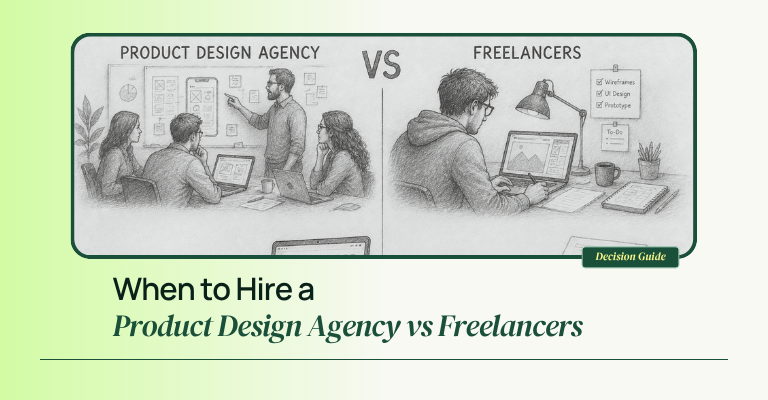
For product managers and founders considering whether to hire a design partner, TechRadiant's guide on hiring a product design agency versus freelancers covers the capability and engagement differences that affect which model fits which kind of project.
What Should You Ask a UX Agency Before Hiring It for an Audit or Redesign?
The questions a business asks before engaging a UX partner are more diagnostic than the agency's portfolio. An agency that recommends a redesign before examining the product's data and user research is not applying a user-centered process. The questions below help reveal how a potential partner approaches problem diagnosis.
1. How do you identify the root cause of usability problems?
Strong answer: Describes a combination of behavioral data review, heuristic evaluation, and usability testing with actual users, then explains how these are triangulated to distinguish symptoms from causes.
Red flag: Relies primarily on visual inspection or expert opinion without mentioning user behavior data or direct user research.
2. What research methods will you use, and why?
Strong answer: Names specific methods (card sorting, tree testing, moderated usability testing, session recordings) and explains which problems each is suited to investigate.
Red flag: Generic references to "user research" without explaining which methods apply to the specific problems being investigated.
3. Will you examine analytics and actual user behavior data?
Strong answer: Requests access to analytics, session recordings, and funnel data as part of onboarding, and explains how behavioral evidence will inform findings.
Red flag: Does not ask for analytics access, or treats it as optional rather than foundational to the audit.
4. How do you prioritize findings from an audit?
Strong answer: Describes a severity-rating framework that weighs user impact, business impact, and implementation effort, producing an actionable priority order rather than a flat list of problems.
Red flag: Cannot describe a prioritization method, or delivers all findings at equal weight without differentiation.
5. Will the audit include recommendations that our team can implement independently?
Strong answer: Yes, with quick-win recommendations described in enough detail for a development team to act on without requiring additional design support.
Red flag: Audit findings are framed in a way that positions only the same agency to implement them.
6. How do you decide whether a redesign is necessary?
Strong answer: The decision emerges from the audit findings, based on whether identified problems are addressable through targeted improvements or indicate structural issues. The recommendation is evidence-based, not predetermined.
Red flag: The agency has already recommended a full redesign before reviewing the product, the analytics, or any user research.
7. Will you validate proposed changes with users before implementation?
Strong answer: Describes a testing phase for significant proposed changes, using prototype testing or moderated sessions with representative users to validate direction before full build.
Red flag: Validation is treated as optional or is not mentioned as part of the design process at all.
8. What deliverables will we receive, and in what format?
Strong answer: Lists specific deliverables (findings report, annotated screenshots, issue log, recommendations, prototype files) and explains what format they come in and who on the client's team can use them.
Red flag: Vague descriptions of "a report" without specifying what it contains or whether the client will have access to underlying files.
9. Who will conduct the actual research and design work?
Strong answer: Names the individuals who will conduct research and design work, describes their relevant experience, and is transparent about whether any work will be subcontracted.
Red flag: Senior practitioners are presented in the pitch but the work is delivered by junior team members without disclosure.
10. How will you measure whether the improvements worked?
Strong answer: Recommends establishing baseline measurements before changes are implemented, identifies specific metrics that should shift if the design problems are resolved, and proposes a timeline for measuring outcomes.
Red flag: Cannot describe how success will be measured, or defines success as delivery of design assets rather than change in user or business outcomes.
How Do You Measure Whether a UX Audit or Redesign Has Worked?
Success should be measured against the original business and user problems, not against the design work itself. Delivering a redesigned interface is not the same as improving the experience. Knowing whether the work succeeded requires establishing measurements before changes are made and tracking the same metrics after.
Task completion rate
Can users complete their primary goal without help or error?
Conversion rate
The proportion of visitors or users completing a target action
Onboarding completion
The percentage of new users who reach the first meaningful action
Drop-off rate
Where users abandon a journey, and at what step
Time on task
How long users take to complete a defined workflow
Error rate
How often users make recoverable or unrecoverable errors
Support volume
Volume of usability-related help requests or tickets
User satisfaction
Structured measures such as CSAT, NPS, or SUS scores collected consistently
Retention
Where the product and measurement window make causal attribution meaningful
None of these metrics should be interpreted in isolation or attributed to design changes alone. Other variables, including marketing, pricing, product features, and seasonality, affect most of them. What matters is establishing a baseline before changes are made and tracking the same metrics afterward, so that any observed change can be evaluated in context. Nielsen Norman Group's research on measuring usability distinguishes between effectiveness, efficiency, and satisfaction as three separate dimensions of a user experience, all of which may need separate metrics depending on what the design work was intended to improve.
What Questions Do Businesses Commonly Ask About UX Audits and Redesigns?
Can a UX audit improve conversions without redesigning a website?
Yes, in many cases. An audit can identify specific friction points, such as confusing CTAs, slow page load on mobile, or inaccessible form fields, that are suppressing conversion and can be addressed through targeted changes. However, an audit identifies problems; it does not fix them. Conversion improvement requires implementing the recommendations, which may or may not involve visual redesign depending on what the audit finds.
How long does a UX audit take?
Duration depends heavily on scope. A focused expert review of a small product might take one to two weeks. A comprehensive audit including user recruitment, moderated usability sessions, analytics analysis, and prioritized recommendations for a complex SaaS platform typically runs four to eight weeks. The timeline should be driven by the depth of research needed, not an arbitrary deadline.
Should a startup conduct a UX audit before launching?
A formal audit is generally more valuable for a product that already has users and behavioral data. For a pre-launch product, usability testing of prototypes and early user research serves a similar diagnostic purpose. Post-launch, once real user behavior is observable, an audit becomes more meaningful because there is actual behavioral evidence to analyze.
Can we conduct a UX audit internally?
An internal team can conduct heuristic evaluations and analyze their own analytics, but internal audits face significant limitations. Teams are often too close to the product to identify problems their users encounter, and internal usability testing is frequently conducted with colleagues rather than representative users. External audits add value through independence, structured methodology, and access to users who have no prior knowledge of the product.
Does a UX audit include UI design recommendations?
A UX audit focuses on usability, user journeys, and experience quality. It may include UI-level observations, such as inconsistent component behavior or unclear visual hierarchy, where these affect usability. It does not typically produce new visual designs or redesigned screens. That work belongs to the design phase that follows the audit.
Is a UX redesign the same as a website redesign?
No. A website redesign often refers primarily to visual and structural changes to a marketing site. A UX redesign addresses user journeys, information architecture, interaction design, and usability, and may apply to a product, application, or platform as well as a website. A website redesign that does not involve user research and journey analysis is typically a visual update, not a UX redesign.
How often should a SaaS product undergo a UX audit?
There is no universal schedule. A meaningful audit is warranted when observable problems suggest something has changed: declining conversion, increasing support volume, user complaints about specific journeys, or significant new feature additions that have altered the interaction model. Many SaaS products benefit from periodic reviews, particularly after major product releases, as individual feature changes accumulate into broader usability problems over time.
Should we hire a UX consultant or a product design agency?
A specialist UX consultant typically offers focused research and audit expertise, with less design execution capacity. A product design agency offers broader capability across research, design, prototyping, and in some cases implementation. The choice depends on what the project requires. For a diagnostic audit, a specialist researcher or small UX consultancy is often well-suited. For an audit that leads into a redesign, an agency with both research and design capacity may be more efficient. TechRadiant's guide on
agency versus freelancer hiring decisions covers this in more detail.
Explore UI/UX and Product Design Partners
TechRadiant's directory profiles UI/UX design agencies and product design companies with verified capabilities, project histories, and industry specialisms. Use it to build a shortlist before beginning an audit or redesign engagement.