Mobile App Development
A fitness app launched in early 2025 with beautiful design and solid functionality. Within three months, it had 100,000 downloads. Within six months, only 5,800 users remained, a 94.2% abandonment rate. The culprit? The app lacked personalization, had no offline functionality, and didn’t integrate with users’ wearable devices. In short, it failed to meet user expectations.
Meanwhile, a competitor launched with AI-powered workout recommendations, seamless Apple Watch integration, and the ability to function offline. Despite launching with fewer features, they maintained 24% of users after 30 days, more than 4x the industry average. They understood something crucial: meeting basic functional requirements isn’t enough in 2026. Users expect intelligent, personalized, integrated experiences that work seamlessly across their digital ecosystem.
The mobile app landscape has fundamentally shifted. With 88% of mobile time spent in apps rather than browsers, 64% of consumers preferring apps over mobile websites, and session durations jumping 332% in recent years, apps have become the primary digital interface. But this increased engagement comes with dramatically heightened expectations.
The statistics reveal the stakes: bounce rates have increased 54% as users show zero tolerance for friction. Error related session exits have more than doubled. The average Day 1 retention rate is only 24%, dropping to a mere 5.8% by Day 30. Users download apps with purpose and delete them without hesitation.
For businesses investing in mobile app development, understanding what users actually expect isn’t optional. It’s the difference between an app that thrives and one that joins the millions abandoned within days. Here are the essential features users demand in 2026, why they matter, and how to implement them effectively.
The Shift to Intelligence
Generic, one-size-fits-all experiences are no longer acceptable. Over 30% of new apps now feature AI-based functionality, and for good reason: users expect apps to understand their preferences, anticipate their needs, and adapt to their behavior in real-time.
What Users Expect:
Predictive Recommendations: Netflix-level personalization across all app categories. Whether it’s content, products, or actions, users expect AI to suggest what they need before they search for it.
Adaptive Interfaces: Apps that adjust their layout, features, and content based on usage patterns. Heavy users see advanced features prominently; casual users get simplified interfaces.
Context-Aware Experiences: Apps that consider time of day, location, device, and user activity. A fitness app might emphasize recovery content on Sunday mornings and high-intensity workouts on weekday evenings.
Behavioral Learning: Systems that improve with use, learning from implicit feedback (what users actually do) rather than just explicit feedback (ratings and reviews).
The Business Impact:
AI-powered personalization isn’t just user satisfaction. It’s measurable business value. Predictive analytics in finance and retail apps show a 31% increase in retention. AI chatbots in customer service apps improve resolution times by 22%. Personalized push notifications increase engagement by 40% compared to generic messages.
Implementation Considerations:
Start with one meaningful personalization feature rather than superficial customization across many areas. A food delivery app might focus on meal recommendations based on order history and time of day. A news app could prioritize article topics and sources based on reading behavior.
Balance personalization with transparency. Users appreciate tailored experiences but distrust “creepy” over personalization. Provide clear explanations of why content is recommended and easy controls to adjust preferences.
The Multi-Device Reality
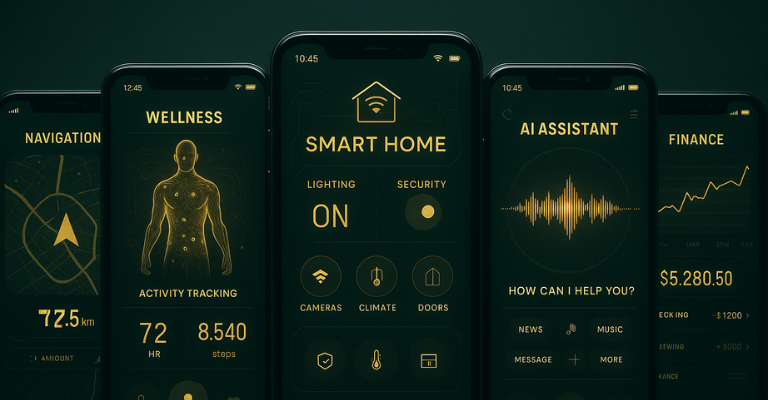
Users no longer interact with apps on a single device. They start tasks on smartphones, continue on tablets, finish on desktops, and track progress on smartwatches. Apps that don’t provide seamless experiences across this ecosystem feel broken.
What Users Expect:
Synchronized State Across Devices: Starting a workout on a phone should seamlessly continue on a smartwatch. Abandoning a cart on desktop should preserve items when opening the mobile app.
Wearables Integration: With voice assistant applications continuing to gain traction and AR/VR devices proliferating, apps must integrate with the expanding device ecosystem. Fitness, health, and productivity apps are especially expected to work with Apple Watch, Fitbit, and other wearables.
Cloud-Based Functionality: The global mobile cloud market will reach $202.4 billion by 2028, growing at 34.0% annually. Users expect their data, preferences, and progress to sync instantly across devices without manual intervention.
Platform-Agnostic Experiences: While native apps still dominate (255 billion downloads projected in 2025), users expect consistent experiences whether they access your service through iOS, Android, web, or progressive web apps.
The Technical Challenge:
Building true cross-device experiences requires sophisticated backend architecture, real-time synchronization, and careful UX design. Users don’t want to think about syncing—it should simply work.
Consider implementing:

The Connectivity Reality
Despite widespread internet access, users regularly encounter poor connectivity: underground subways, airplane mode, rural areas, crowded venues with overloaded networks, and international travel with expensive roaming.
What Users Expect:
Apps shouldn’t become useless when connectivity drops. Essential functionality should continue working offline, with seamless synchronization when connection returns.
Implementation Levels:
Basic Offline Support: Access to previously loaded content. News apps should allow reading downloaded articles; music apps should play downloaded songs.
Advanced Offline Functionality: Create, edit, and interact with content while offline. Note taking apps, task managers, and productivity tools should fully function without connectivity, syncing changes when online.
Offline-First Architecture: Apps designed to work offline by default, with online connectivity as an enhancement rather than requirement. Progressive web apps and modern mobile frameworks make this increasingly feasible.
Critical Features for Offline:
Users encountering broken functionality due to poor connectivity immediately bounce. With error rates continuing to rise, offline capability isn’t optional for apps targeting mass adoption.
The Onboarding Crisis
Average Day 1 retention is only 24%, dropping to 5.8% by Day 30. The first experience is make-or-break. Apps with onboarding tutorials see 12% higher retention compared to those without, but poor onboarding is worse than none at all.
What Users Expect:
Immediate Value: Users should accomplish something meaningful within 60 seconds. Don’t make them create accounts, complete lengthy tutorials, or configure settings before seeing value.
Progressive Disclosure: Introduce features gradually as users need them, not all upfront. Show basic functionality first, then reveal advanced capabilities as users demonstrate interest and proficiency.
Social and Biometric Sign-In: Eliminate friction in account creation. Social login (Google, Apple, Facebook) and biometric authentication (Face ID, fingerprint) should be standard. Forcing users to create username/password accounts guarantees abandonment.
Contextual Tutorials: Show features when relevant, not in a boring upfront tour. If a user tries to access a locked feature, that’s when you explain premium benefits not during initial setup.
Practical Implementation:
Consider implementing:
Remember: every additional step in onboarding causes abandonment. Ruthlessly eliminate unnecessary fields, confirmations, and screens.
The Trust Imperative
With regulators tightening privacy rules and high-profile breaches making headlines, users are increasingly concerned about data security. Google has banned millions of harmful mobile apps and strengthened Play Protect to scan for malware in real-time.
What Users Expect:
Transparent Data Practices: Clear, understandable explanations of what data you collect, why you need it, and how you protect it. Vague privacy policies and unclear permissions guarantee uninstalls.
Minimal Data Collection: Only request permissions truly necessary for core functionality. Apps asking for location when it’s irrelevant or contacts when unnecessary raise immediate red flags.
Secure Authentication: Two-factor authentication, biometric login, and secure password practices should be standard. Users expect banking-level security for any app handling sensitive information.
Regular Security Updates: Apps that haven’t been updated in months signal abandonment and potential vulnerabilities. Regular updates demonstrate active security maintenance.
Advanced Security Methods:
The Bottom Line:
A single data breach destroys trust permanently. Users will abandon apps immediately upon security concerns, and they’ll share their negative experiences publicly. Security isn’t a technical checkbox; it’s a business imperative.
The Speed Imperative
Users have zero tolerance for slow apps. With bounce rates continuing to climb and 64% of users preferring apps specifically for their speed compared to mobile websites, performance directly determines success.
What Users Expect:
Instant Launch: Apps should open immediately, showing cached content while loading updates in the background. Loading screens that block interaction are unacceptable.
Responsive Interactions: Every tap should provide immediate visual feedback, even if backend processing continues. Users need confirmation that their action registered.
Smooth Animations: 60fps scrolling and transitions aren’t luxury they’re baseline expectations. Janky animations signal poor quality and technical incompetence.
Fast Content Loading: Images, videos, and data should load progressively. Show low resolution placeholders immediately, then enhance quality as content loads fully.
Performance Optimization Strategies:
The 5G Advantage:
The widespread deployment of 5G has transformed mobile app capabilities. 5G smartphone connections have grown exponentially, enabling instant high-definition content streaming, real-time multiplayer gaming without lag, augmented reality experiences with minimal latency, and large file uploads/downloads without frustration.
Apps optimized for 5G capabilities provide experiences previously impossible, but must gracefully degrade for users on slower connections.
The Voice Revolution
As of late 2025, over 8.4 billion digital voice assistants are being used worldwide, and the number is growing. Voice-activated apps continue gaining popularity due to hands-free operation, making them perfect for activities like navigation, information retrieval, and accessibility.
What Users Expect:
Natural Language Understanding: Voice interfaces should understand conversational speech, not just rigid commands. Users expect to speak naturally, not memorize specific phrases.
Context Retention: Voice assistants should remember conversation context. If a user asks about weather, then says “what about tomorrow,” the system should understand they’re still asking about weather.
Multi-Modal Integration: Voice should complement touch interfaces, not replace them. Users should seamlessly switch between voice and touch based on context and preference.
Voice-First Use Cases:
Hands-free navigation for driving, cooking, and exercising (situations where touch isn’t feasible), quick actions like setting timers, creating reminders, and initiating calls (faster via voice than tapping), accessibility features critical for users with visual or motor impairments, and smart home control with voice commands for IoT-connected devices.
Voice assistant applications account for approximately $6 billion in market share, expected to grow at 30.8% CAGR through 2034. Implementing voice capabilities isn’t just for accessibility, it’s increasingly expected functionality.
The Social Expectation
Apps with social sharing features experience 27% higher average session durations. Users don’t want isolated experiences – they want to share achievements, discoveries, and content with their networks.
What Users Expect:
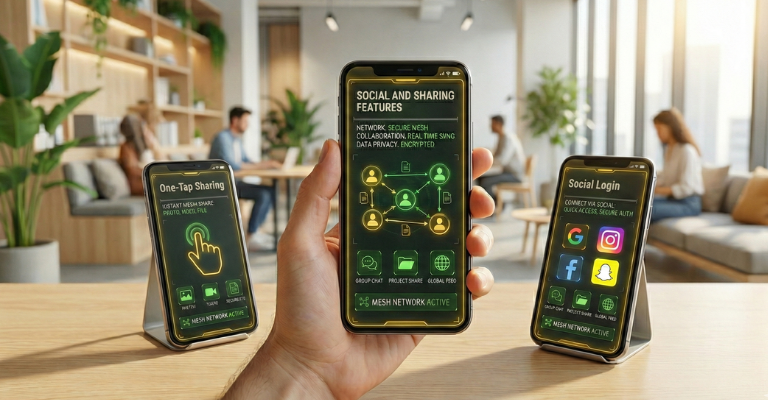
One-Tap Sharing: Simple sharing to social platforms, messaging apps, or email. Complex sharing processes guarantee abandonment.
Social Proof Integration: Reviews, ratings, and user-generated content that help decision-making. Shopping apps, travel apps, and service platforms especially need social validation.
Collaborative Features: Multiple users working together within apps. Document editing, shopping lists, trip planning – users expect real-time collaboration like they have on desktop.
Social Login: Using existing social accounts for authentication eliminates friction while providing social graph access (with permission).
Implementation Strategies:
Consider implementing:
Apps that facilitate social interaction, whether through sharing, collaboration, or competition, see significantly higher engagement and retention than isolated experiences.
The Mobile Commerce Reality
Mobile commerce volume exceeded $710 billion in 2025 and continues growing, with over 60% of shoppers favoring mobile apps for purchases. Shopping and e-commerce apps account for 23% of user sessions in the US.
What Users Expect:
Multiple Payment Options: Credit cards, debit cards, digital wallets (Apple Pay, Google Pay, PayPal), buy-now-pay-later services, and cryptocurrency where relevant.
One-Touch Checkout: Saved payment information and shipping addresses enable impulse purchases. Amazon’s one-click ordering set the standard all apps must meet.
Secure Transactions: Visible security indicators, encrypted payment processing, and compliance with payment industry standards.
Mobile Wallet Integration: Apple Pay, Google Pay, and Samsung Pay transactions have grown substantially, with mobile wallet adoption accelerating. These should be prominent payment options.
Payment Features That Matter:
Mobile commerce success depends on eliminating friction at every step. Each additional tap, form field, or confirmation screen causes abandonment.
The Psychology of Engagement
Gamified apps (fitness, education, language learning) boast retention rates 22% higher than standard formats. Humans are naturally motivated by progress, achievement, and competition.
What Users Expect:
Clear Progress Indicators: Users should always see how far they’ve come and what’s next. Progress bars, completion percentages, and milestone markers maintain motivation.
Meaningful Achievements: Badges and trophies that recognize real accomplishments, not trivial actions. Users should feel proud earning achievements, not patronized.
Friendly Competition: Leaderboards, challenges, and social comparison that motivate without discouraging. Multiple leaderboards (friends, global, weekly) let different user segments compete appropriately.
Reward Systems: Points, unlockables, premium currency, or real-world benefits that incentivize continued engagement.
Effective Gamification Elements:
The Balance:
Gamification must enhance core functionality, not distract from it. Duolingo succeeds because gamification reinforces language learning. Apps that add superficial badges to poor core experiences fail.
The Moral and Business Case
Accessibility isn’t just ethical – it’s good business. 15% of the global population has some form of disability. Apps designed for accessibility serve all users better.
What Users Expect:
Screen Reader Compatibility: VoiceOver (iOS) and TalkBack (Android) should describe every interface element meaningfully.
Adjustable Text Sizes: Support for system-level text size preferences without breaking layouts.
Color Contrast: Sufficient contrast ratios for readability, with alternatives to color-only information conveyance.
Keyboard Navigation: Full functionality without requiring touch, supporting external keyboards and assistive devices.
Closed Captions: Subtitles for all video content, transcripts for audio content.
Implementation Priorities:
Semantic markup that screen readers understand, alternative text for images and icons, keyboard shortcuts for power users and accessibility, high contrast modes for visual impairments, haptic feedback for interactions, and voice control integration.
Accessibility features often benefit all users. Captions help in noisy environments. Voice control works while driving. High contrast improves outdoor visibility. Designing for accessibility improves experiences universally.
The Expectation of Evolution
Apps that haven’t been updated in months signal abandonment. User feedback integration leads to 15% improvement in retention metrics over 6 months.
What Users Expect:
Frequent Updates: Regular improvements demonstrating active development and care.
Feature Additions: New capabilities that add value without complicating core functionality.
Bug Fixes: Rapid response to issues, with clear communication about fixes.
User-Requested Features: Evidence that developers listen to feedback and implement popular requests.
Performance Improvements: Ongoing optimization that keeps apps fast as they grow.
Update Best Practices:
Users form emotional connections with apps that evolve with their needs. Regular updates signal commitment to long-term relationship.
Prioritization Framework
Not every app needs every feature. Prioritize based on your app category, target audience, and business model:
Essential for All Apps:
Essential for Specific Categories:
E-Commerce:
Social/Content:
Productivity:
Health/Fitness:
Implementation Strategy:
Start with core features done exceptionally well. A fitness app with perfect workout tracking beats one with 30 mediocre features. Add complexity incrementally based on user feedback and data.
The mobile app landscape has matured dramatically. Users have experienced thousands of apps and developed sophisticated expectations. Apps that don’t meet current standards are immediately abandoned, no matter how much was invested in development.
The data tells a clear story: users expect AI-powered personalization, seamless cross-device experiences, offline functionality, instant performance, robust security, and social integration. They won’t tolerate slow load times, complicated onboarding, or features that don’t work without connectivity.
But meeting these expectations requires sophisticated technical expertise, user-centered design, and strategic prioritization. Few businesses can build world-class apps without experienced development partners who understand current user expectations and technical best practices.
The businesses succeeding in mobile aren’t building the most features. They’re building the right features exceptionally well. They start with core functionality that solves real problems, implement it with obsessive attention to performance and usability, then expand strategically based on user data and feedback.
With over 250 billion app downloads projected annually and $600+ billion in revenue at stake, the opportunity is massive. But competition is fierce. Apps that delight users thrive; those that frustrate are deleted without hesitation.
Ready to build a mobile app that meets 2026 user expectations? Our research team has evaluated mobile app development companies based on their expertise in AI integration, performance optimization, user experience design, and successful app launches. Find partners with proven capabilities to build apps users love and keep using.